


A reMarkable 2 is only as useful as the system built around it. The device replaces paper, but without a solid organizer, notes get scattered and ideas lose structure. The right organizer brings clarity. It turns daily writing into a consistent workflow. This checklist helps narrow down what actually matters before choosing one.
Understand How the Organizer Fits Your Workflow
Start with usage, not features. Some users take quick meeting notes. Others plan projects or track habits. The organizer should match that pattern.
If the device is used for work, look for structured layouts like meeting logs, weekly planners, and project dashboards. If it’s more personal, daily journaling pages and goal trackers work better.
A mismatch here creates friction. And friction kills consistency.
Check Page Structure and Navigation
A good organizer is not just a set of pages. It is a system.
Look for:
- Clear section divisions
- Clickable navigation (hyperlinked tabs or index pages)
- Logical grouping of content
This matters more than design. Without proper navigation, even a beautiful template becomes hard to use after a few days.
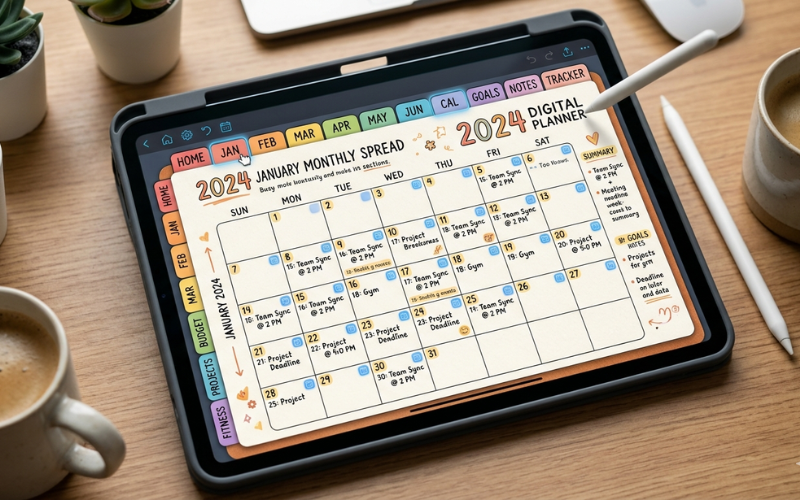
Some advanced templates for remarkable 2 include internal links that mimic a digital notebook. That makes switching between sections faster and more intuitive.
Evaluate Writing Space and Layout Balance
Many organizers look good but fail in actual use. The issue is often poor spacing.
Check:
- Line spacing for handwriting comfort
- Margin size for annotations
- Balance between structure and free space
If pages feel cramped, writing slows down. If they are too open, structure gets lost. A balanced layout keeps writing natural.
Look at File Size and Performance
This part is often ignored.
Heavy PDF organizers with too many graphics or layers can slow down page switching. On a device like reMarkable 2, performance matters.
Choose organizers that:
- Load quickly
- Switch pages smoothly
- Do not lag when writing
A lightweight file improves daily usability more than visual complexity.
Assess Customization Options
Not every system works forever. Needs change.
Some organizers allow:
- Adding extra pages
- Modifying sections
- Importing new templates
This flexibility extends the lifespan of the organizer. Otherwise, users end up replacing it too soon. Platforms like Happy Downloadsoften provide editable or expandable formats, which help users adjust as their workflow evolves.
Check Real Use Cases, Not Just Features
Marketing descriptions can mislead. What matters is real-world usage.
Look for:
- Screenshots of actual pages in use
- User reviews with workflow examples
- Video walkthroughs
These give clarity on how the organizer performs beyond the feature list.
Prioritize Minimalism Over Design
Design should support function, not dominate it.
Avoid:
- Overly decorative layouts
- Complex color schemes (even in grayscale)
- Unnecessary elements
Simple layouts reduce distraction and improve focus. And over time, that matters more than aesthetics.
Test Before Committing
If possible, test a few pages before full use.
Many creators offer sample versions. Use them for a few days. Check:
- Writing comfort
- Navigation ease
- Fit with daily routine
A short test reveals more than any description.
Quick Checklist Summary
- Matches daily use (work, personal, mixed)
- Clean navigation with logical sections
- Balanced writing space
- Lightweight and responsive
- Allows some level of customization
- Backed by real usage examples
- Simple, distraction-free design
Final Thought
An organizer is not just a template. It becomes the system behind every idea, task, and note. Choosing the right one is less about features and more about fit. Once that fit is right, the reMarkable 2 starts to feel less like a device and more like a reliable workspace.

