


There are millions of videos on YouTube including some of the world’s best music videos, tutorial videos or even just funny clips. And while YouTube does make it very easy to stream and watch the videos, there is no direct way to download the videos for offline viewing. To do that, you will need the services of a YouTube downloader.
There are many YouTube downloader in the market that it can be difficult to choose the one that best suits your needs. Don’t worry. Here is a review of one of these tools; FoneGeek Video Downloader. It is our hope that after reading this review, you will be in a better position to decide if FoneGeek Video Downloader is the best tool for you to use.
FoneGeek Video Downloader Overview
FoneGeek Video Downloader is a reliable video downloading program designed by FoneGeek Software Co., Ltd. Its main function is to facilitate the download of videos from popular video streaming and sharing sites including YouTube, Facebook, Twitter, Twitch, Vimeo and more. It is also one of the few tools that can download multiple videos, even entire playlists from YouTube. All videos downloaded using FoneGeek Video Downloader are downloaded in high quality such as 720p, HD, 1080p, 4K and even 8K resolution.
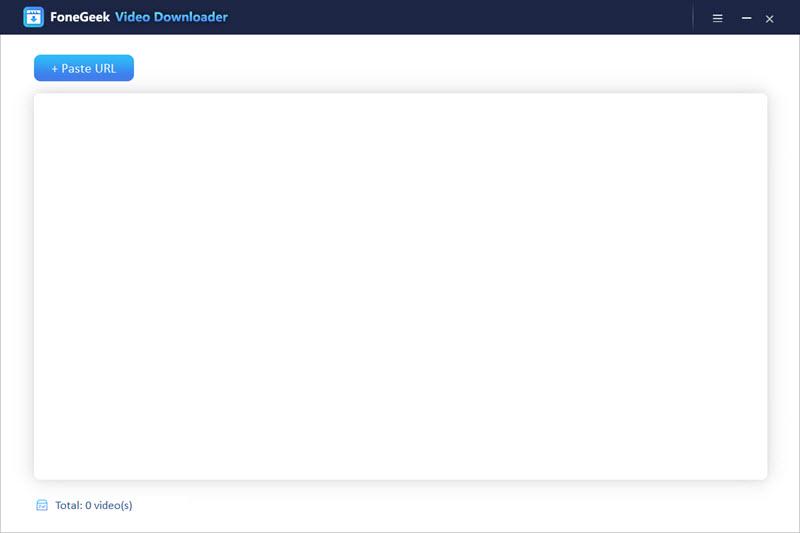
Key Features of FoneGeek Video Downloader
To function as a useful video downloader, FoneGeek Video Downloader employs the following features;
Download Videos from YouTube and 1000 other Sites
FoneGeek Video Downloader is not just a tool to download videos from YouTube, but also from more than 1000 other video sharing sites and websites including Vimeo, Facebook, Twitter, Twitch, Bilibili, Vevo, Veoh, Niconico, Dailymotion and more.
Download Videos in Very High Resolution
There aren’t very many video downloaders that support 4K or even 8K resolution videos. FoneGeek Video downloader will allow you to download HD 1080p, 4K and even 8K videos from all supported sites without losing the quality.
Download Other Types of Content from YouTube
You can use FoneGeek Video Downloader to download any content from YouTube including 180 and 360 VR, 3D video, gaming streams, blocked, private or even age-restricted videos.
Supports Multiple Formats
You can also download and save the videos from YouTube and other supported sites in numerous different formats including MP4, MOV, MP3, WEBM and many more.
Extract Audio from Downloaded Videos
FoneGeek Video Downloader also allows you to extract audio from any YouTube video without losing the quality of the sound. The bit rate of the extracted audio can be up to 320kbps, allowing you to play the audio file on any audio player or use it on your own videos.
Extract Subtitles
Subtitles are a great way to help non-native speakers of the language the video is in to understand the content of the video. When you use FoneGeek Video Downloader to download a video with subtitles, you will also get the subtitles intact.
6X Downloading Speed
The download process when using FoneGeek Video Downloader is smooth and very fast. This means that you can download even the largest videos in a matter of minutes. It is however important to note that the time it takes to download the video will depend on the strength and reliability of your network connection.
How to Download Videos from YouTube with FoneGeek Video Downloader
This program is also quite easy to use. Here’s a step-by-step description of the process to show you how easy it is to use;
Step 1: Download the Video Downloader from FoneGeek official site on to your computer and then follow the installation guide to install the program. Open the program after installation.
Step 2: On your browser, go to YouTube and locate the video that you want to download. Open it and then copy its URL from the browser bar.
Step 3: Go back to the video downloader and click on the “+Paste URL” to paste the video’s link. The program will start analyzing the video immediately. In the popup that appears, select the format and the resolution for the video.
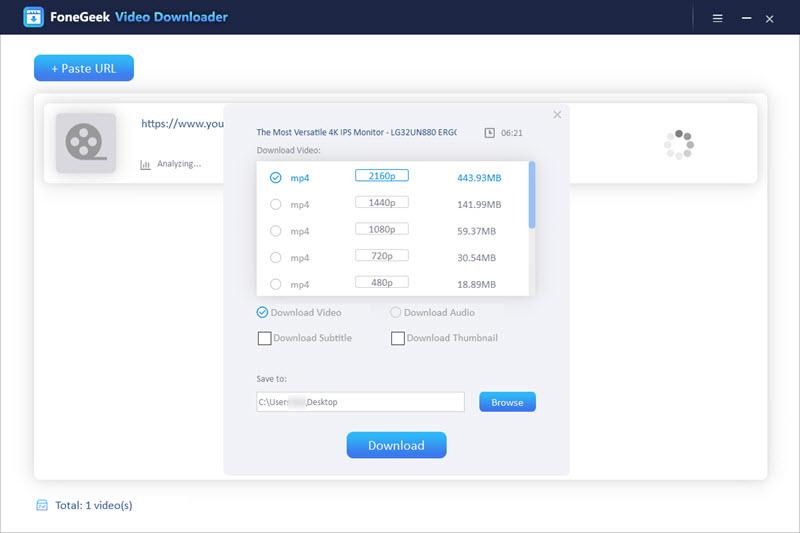
Step 4: Press the “Download” button to begin downloading the video. You will see the progress of the video downloader. You can press the Pause button to stop the download at any time.
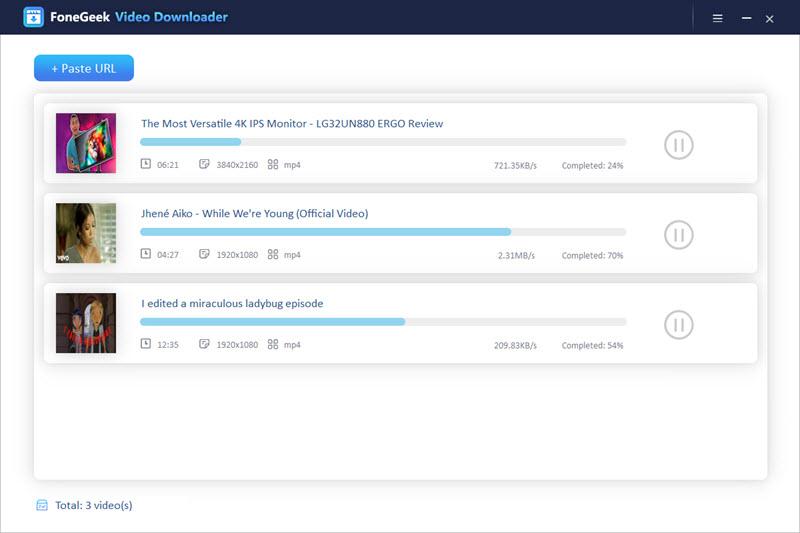
The video should be available in the downloads folder of your computer once the process is complete.
Conclusion
FoneGeek Video Downloader is one of the best video downloading tools in the market for a few simple reasons. To begin with, it can download videos from more than 1000 video sharing sites. It is also very fast and very easy to use and it allows you to download videos in very high quality or even extract audio from any video. It is therefore worth a try if you are looking for a simple way to download videos from YouTube and other websites without compromising on the quality of the videos.

