


In many cases, opening and creating PDFs is simply not enough – users are increasingly looking for a more comprehensive tool that will allow them to perform additional tasks, such as modifying and converting the file, as well as using a digital signature and the option of inserting a watermark.
Although there are many such solutions on the market, we have selected only the best ones for you – check out the TOP 5 PDF editing programs.
What is a PDF file and how to open this type of files?
A PDF document is also a document in a portable format. PDF stands for Portable Document Format and was developed by Adobe. The conversion of paper documents into digital ones was a real breakthrough at that time.
Due to the usefulness of this format, it is worth equipping yourself with software that can both view and convert a PDF file, but whose capabilities also include editing PDF files. Adobe Acrobat or Microsoft Word are certainly popular tools for viewing files of this type, but many people prefer to have a free PDF editor for their use.
- SwifDoo PDF – a PDF editor that has already been appreciated by many people
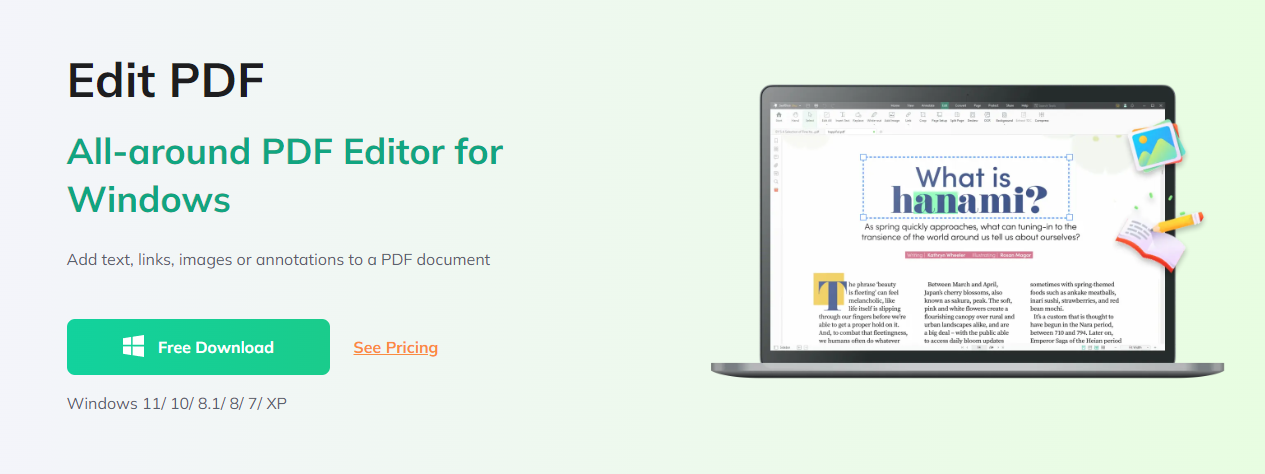
SwifDoo PDF is free software designed to easily view/edit PDF files. With the free trial version, you can edit files of this format in such a way that individual documents are merged into one whole. It turns out that this is a really great PDF editing program that is both easy to use and extremely functional.
Its advantage is that it integrates with the Windows context menu, which makes adding PDF files to the list within the program very quick.
Moreover, this editor is also compatible with your mobile phone, i.e. Apple iPhone or Google Pixel phones. If you need a more advanced PDF editing program in one, it is probably worth choosing its premium versions.
- PDFescape – a free PDF editor in the browser
PDFescape is a very good PDF editing program that can be used both in a browser and as an application for personal computers. In the case of PDFescape as a separate software, you can use it in a trial version and then purchase the appropriate, full version of the program. However, the browser editor is available completely free of charge.
Using the free PDFescape, you can edit PDFs in various ways – add your notes to them, protect them with passwords, or share them online. With PDFescape you can also fill out or create a simple PDF form. The premium version allows you to add watermarks or merge PDFs. PDFescape Premium is also great when you want to convert or compress PDF files.
- Okular – a free PDF editing program that is perfect for simple tasks
Okular is actually a free and extremely universal editor that is also used to view open source documents. The software’s functions include simple PDF editing, such as copying and saving text as an image, or highlighting text, for example. The tool also allows you to display and verify digital signatures, or submit them yourself.
The numerous advantages of this software include its support for many formats. The PDF format is just one of them. It has numerous functions thanks to which you can easily manage selected documents. This is a completely free program.
- PDFsam Basic – a well-known program for editing PDF files
PDFsam Basic is a free PDF reader and editor that allows you to both create and edit documents in this format. This is a great tool that can replace many programs that require a certain amount of money. It is equipped with a user-friendly interface.
The functions are divided by the manufacturer into modules that are described in detail. Thanks to the program, it is possible to combine and divide pages, or rotate pages with different degrees in the edited PDF document. There is also an option to alternate page order. You can also try PDFsam Enhanced, a much richer, professional version of the program, available for a fee.
- PDF-XChange Editor – a popular, recommended PDF editing tool
Thanks to this program, you can edit a PDF file in several different ways, such as applying watermarks to documents, enriching pages with headers and footers, adding and deleting specific pages, and much, much more. Other functions of the program include managing selected document pages, adding comments, and reviewing files. It is a free PDF editing program that can also be used as a reader of electronic publications for the Windows operating system.
PDF-XChange Editor is both an editor and a very convenient PDF viewer. However, you can only edit a previously created PDF document using the program. To create new documents, you need to invest in a Pro edition license, which is equipped with many new features.
In conclusion
Many users are looking for the best free PDF editing program. This is due to the fact that PDF files are now widely used in the business sphere, including in documentation. However, many PDF editing programs make the entire process much more complicated.
And in this case, many people are looking for a simple PDF editing program such SwifDoo PDF. You can find many of them on the Internet, but it is worth choosing the best PDF editor. To choose the right software for creating and editing PDF files, we recommend reading the ranking.

