


MobiHub introduces a distinctive approach to mobile proxy infrastructure. Rather than offering access to a shared pool of third-party IP addresses, the platform provides software that enables users to convert compatible Android smartphones into remotely accessible mobile proxy servers.
A smartphone connected to a 3G, 4G, LTE, or 5G network can be integrated with the MobiHub platform, configured via its Android application, and managed through a centralized online dashboard. The resulting proxy can be used for personal purposes, integrated into business operations, or offered to other users through MobiHub’s marketplace.
This model is particularly appealing to individuals, agencies, technical teams, and proxy operators seeking greater control over the physical devices and SIM-based connections that power their proxy infrastructure.
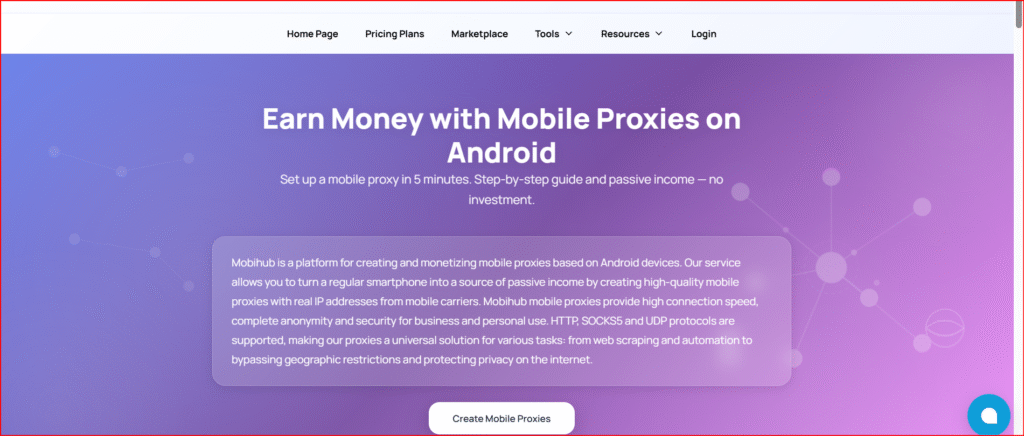
However, it is important to recognize that MobiHub functions as a self-managed proxy creation platform rather than a traditional plug-and-play proxy provider. Users are responsible for supplying and maintaining the Android devices, SIM cards, mobile data plans, and operational environment required to ensure consistent performance.
Editorial note: This review is based on publicly available information, including MobiHub’s features, policies, pricing, and application documentation. Performance metrics and earning potential have not been independently verified.
What Is MobiHub?
MobiHub is a software-as-a-service (SaaS) platform designed to facilitate the creation and management of mobile proxies using physical Android devices.
By installing the MobiHub application, users can connect a smartphone to the platform and route authorized internet traffic through the device’s mobile network. As a result, outgoing traffic uses an IP address assigned by the mobile carrier, rather than a datacenter-based IP.
According to the company’s terms, MobiHub provides the software infrastructure required to configure and manage proxies. It does not supply the hardware, SIM cards, or mobile connectivity. Each device supports one proxy, although multiple connection credentials may be associated with it depending on the subscription plan.
MobiHub supports two primary use cases:
- Creating private mobile proxies for personal or business use
- Monetizing Android devices by offering proxy access to other users
The platform reports over 10,000 active users, more than 5,000 proxies, coverage in over 50 countries, and uptime of up to 99.9%. These figures are provider-reported and have not been independently audited.
How MobiHub Works
The setup process begins with a compatible Android smartphone connected to a mobile network.
Users create an account, install the MobiHub application, and link their device to the platform. Once configured, the device can begin routing authorized proxy traffic.
Typical setup steps include:
- Connecting an Android device to a mobile network
- Registering a MobiHub account
- Installing the official application
- Linking the device to the dashboard
- Creating a proxy instance
- Configuring authentication, IP rotation, DNS, and limits
- Using the proxy privately or offering it to customers
MobiHub indicates that setup can take approximately five minutes, although actual time may vary depending on device specifications, network conditions, and user experience. Android 9.0 or later is required.
Real Mobile Carrier IP Addresses
A key advantage of MobiHub is its use of genuine mobile carrier IP addresses.
Unlike datacenter proxies, these IPs are assigned by mobile network operators, making traffic appear similar to standard smartphone usage. While this can improve authenticity, it does not guarantee acceptance by all websites or platforms.
Because users control the physical device and SIM card, they maintain visibility over the infrastructure behind the proxy. The proxy’s location is tied to the device’s physical position and carrier network.
It is important to note that changing the IP address does not necessarily change the geographic region. Even after rotation, the IP typically remains associated with the device’s location.
Supported Proxy Protocols
MobiHub supports several widely used proxy protocols:
- HTTP and HTTPS
- SOCKS4
- SOCKS5
- SOCKS5 with UDP support
SOCKS5 compatibility enables broader use cases beyond standard web browsing, including applications requiring advanced networking capabilities.
Authentication can be configured via username and password or IP whitelisting. MobiHub states that it uses a proprietary raw-socket implementation rather than relying on external VPN software.
Compatibility ultimately depends on the client application, so users should verify support for the required protocols.
IP Rotation and Connection Management
Mobile networks typically assign dynamic IP addresses. MobiHub provides tools to manage IP rotation remotely.
Users can rotate IPs manually, on a schedule, or via dedicated links. The system may utilize Android features such as airplane mode to request a new IP from the carrier.
Additional management features include:
- On-demand IP rotation
- Scheduled rotation
- Remote rotation links
- Authentication controls
- IP whitelisting
- Custom DNS configuration
- Traffic limits
- Usage statistics
- Device monitoring
- Telegram integration
It is important to understand that IP rotation depends on the mobile carrier. A new IP is not guaranteed with each rotation, as carriers may reassign the same or similar addresses.
Wi-Fi Relay and Traffic Separation
MobiHub includes functionality for separating device connectivity from proxy traffic.
This feature allows the device to maintain its management connection via Wi-Fi while routing proxy traffic through the mobile network. This can reduce mobile data usage and improve stability.
Performance may vary depending on the device model and manufacturer-specific Android restrictions.
MobiHub Mobile Proxy Marketplace
MobiHub operates a marketplace where users can buy and sell mobile proxy access.
Device owners can list their proxies, while buyers can filter options based on location, carrier, and other criteria. Listings may include ratings and technical details.
MobiHub states that sellers are verified and that transactions are secured. However, buyers should independently evaluate sellers, as performance and reliability may vary.
Responsibility for third-party services lies with the seller. MobiHub does not mediate disputes between buyers and sellers.
Can Users Earn Money Through MobiHub?
MobiHub promotes the possibility of earning income by renting out proxy access.
Device owners provide the hardware, connectivity, and operational support, then offer access to customers.
However, earnings are not guaranteed and depend on factors such as:
- Geographic location
- Carrier demand
- Connection quality
- Data costs
- Device reliability
- Competition
- Subscription fees
- Customer support requirements
The platform’s earnings estimates are illustrative and should not be considered guaranteed results.
Pricing and Subscription Structure
MobiHub charges a subscription fee per proxy.
At the time of writing, pricing starts at approximately $7 per device for a 30-day period, with discounts available for longer commitments and larger deployments.
Pricing tiers vary based on:
- Connection speed
- Number of connections
- Protocol support
- Advanced features (e.g., SmartRelay, DNS, statistics)
A 24-hour trial is available upon request.
Subscriptions may renew automatically, and payments are generally non-refundable unless required by law.
Dashboard, Telegram Bot, and API Access
MobiHub provides multiple management interfaces:
- Web-based dashboard
- Telegram bot
- REST API
The dashboard allows users to manage devices, proxies, and settings. The Telegram bot offers quick access to key functions.
The API supports automation, although documentation is currently limited. Users planning integrations should request full details before implementation.
Android Application Availability
The MobiHub application is available on Google Play and as a downloadable APK.
As of June 2026, the app has over 500 downloads and includes performance improvements and interface updates.
Users are advised to install the app from official sources and consider using a dedicated device due to the level of system access required.
Privacy and Data Collection
MobiHub collects various types of data, including:
- Account and device information
- Network and SIM details
- IP history
- Usage statistics
- Technical logs
The platform states that it does not record the content of transmitted traffic.
Data is used for service operation, analytics, security, and compliance. However, some inconsistencies in retention policies suggest that users should seek clarification on:
- Data retention periods
- Deletion rights
- Legal jurisdiction
- Data sharing practices
Data is reportedly stored within the European Union and aligned with GDPR principles.
Security and Acceptable Use
MobiHub implements standard security measures, including TLS encryption, hashed passwords, and access controls.
The platform prohibits illegal activities, fraud, spam, and misuse. Accounts may be suspended for violations.
Users must also comply with their mobile carrier’s terms, as some providers restrict proxy usage or data reselling.
Practical Use Cases
MobiHub can support various legitimate use cases:
Localized Testing
Evaluate how content appears in different regions.
Quality Assurance
Test mobile applications and network behavior.
Advertising Verification
Monitor ad delivery and campaign performance.
Authorized Data Collection
Gather publicly available data in compliance with regulations.
Social Media Management
Operate multiple accounts within approved guidelines.
Private Infrastructure
Build controlled proxy environments using owned hardware.
Main Advantages of MobiHub
- Full control over hardware and connectivity
- Real mobile carrier IP addresses
- Multiple protocol support
- Flexible IP rotation
- Advanced configuration options
- Marketplace integration
- Scalable deployment
Limitations to Consider
- Requires user-supplied hardware and connectivity
- Performance depends on device and carrier
- No guaranteed income
- Limited API documentation
- Variable marketplace quality
- Policy details may require clarification
Who Should Consider MobiHub?
MobiHub is suitable for:
- Users with spare Android devices
- Proxy operators building custom infrastructure
- Agencies requiring location-specific testing
- Developers needing controlled environments
It may not be ideal for users seeking fully managed proxy services without hardware involvement.
MobiHub Review 2026: Final Verdict
MobiHub provides a flexible and innovative solution for creating and managing mobile proxies using Android devices. Its emphasis on infrastructure control and real carrier IPs makes it a compelling option for technically inclined users.
However, it is not a fully managed service. Users must handle hardware, connectivity, compliance, and operational responsibilities.
A trial deployment is recommended before scaling. Overall, MobiHub is a capable platform whose effectiveness depends on the user’s ability to manage and maintain their proxy infrastructure.
Frequently Asked Questions
Is MobiHub a traditional proxy provider?
No. It provides software for creating proxies using user-owned devices.
What Android version is required?
Android 9.0 or later.
Which protocols are supported?
HTTP, SOCKS4, SOCKS5, and SOCKS5 UDP.
Is there a free trial?
Yes, a 24-hour trial is available upon request.
How much does it cost?
Starting from approximately $7 per device per month.
Can users earn passive income?
No guarantees. Earnings depend on multiple factors.
Can IP addresses be changed?
Yes, but results depend on the mobile carrier.
Is it suitable for large deployments?
Potentially, but testing is recommended.
Does MobiHub log activity?
It collects metadata and logs for operational purposes.
Is it secure?
It uses standard security practices, but users should implement additional safeguards.

