


Beginners can start creating images with AI by choosing the right AI image generator, writing simple prompts, and experimenting with different styles.
With regular practice, you can learn to improve prompts, refine results, and create engaging visuals for blogs, social media, presentations, ads, and more.
Let’s explore how to get started with image generation with AI, step by step in this article
Start With the Right AI Image Generator
Your first step is choosing an AI image generator that matches your needs. There are many tools available, and each one handles styles, prompts, editing, and image quality differently.
As a beginner, avoid getting stuck comparing every tool available. Start with one platform that has a simple interface and gives you enough creative control to experiment.
Look for features such as text-to-image generation, image editing, style selection, variations, and image enhancement. A straightforward tool will help you focus on learning rather than figuring out complicated settings.
You can always explore other platforms later. In the beginning, consistency matters more than using the most advanced tool.
Image Generation With AI
Once you have selected a tool, it is time to create your first image. Most AI image generators work through prompts, which means you describe the visual you want and let the system turn that description into an image.
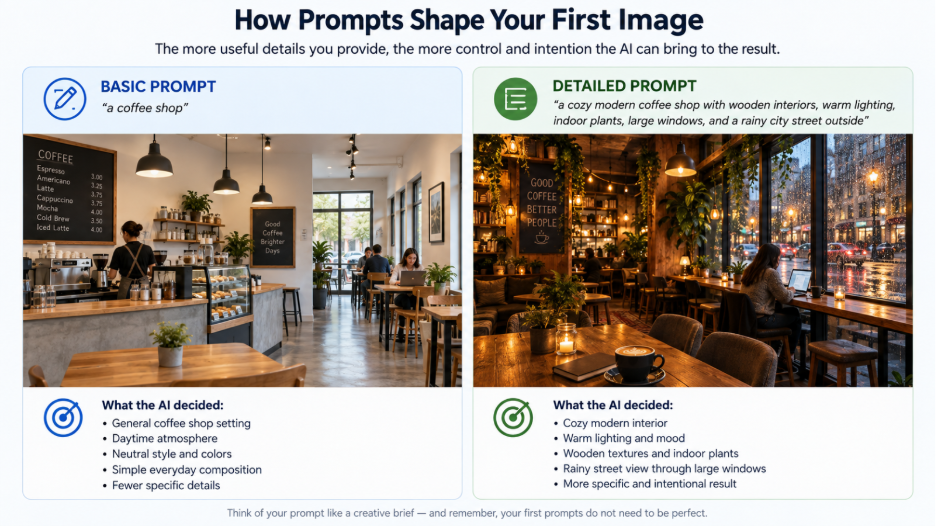
For example, instead of writing “a coffee shop,” you could describe a cozy modern coffee shop with wooden interiors, warm lighting, indoor plants, large windows, and a rainy city street outside.
The more useful details you provide, the more control you usually have over the result. Think of your prompt as a creative brief. You are telling the AI what to create, how it should look, and what kind of mood it should have.
Do not worry about writing perfect prompts at first. Your early attempts are part of the learning process.
Learn to Write Better AI Image Prompts
Prompt writing is one of the most important skills you can develop as a beginner. A strong prompt gives the AI a clearer direction and reduces the chance of getting a completely different image from what you imagined.
A simple way to build a prompt is to think about these elements:
- Subject: What should appear in the image?
- Setting: Where is the scene taking place?
- Style: Should it look realistic, cinematic, illustrated, minimal, or artistic?
- Lighting: Do you want soft daylight, dramatic shadows, or studio lighting?
- Composition: Should the subject be centered, close-up, wide-angle, or viewed from above?
- Mood: Should the image feel calm, energetic, luxurious, futuristic, or playful?
Experiment With Different Visual Styles
One of the most exciting parts of creating images with AI is experimenting with different visual styles. The same idea can look completely different depending on how you describe it.
You can create realistic product scenes, editorial visuals, digital illustrations, cinematic landscapes, 3D-style graphics, vintage artwork, minimal compositions, and much more.
Try taking one simple concept and generating it in three or four different styles. This gives you a better understanding of how prompts influence visual results.
Practice With Simple Projects
The fastest way to become comfortable with AI image creation is to practice regularly. You do not need to start with a complicated project.
Begin with something familiar and gradually increase the difficulty.
Try creating:
- A social media post visual
- A blog featured image
- A product showcase
- A YouTube thumbnail
- A presentation background
- A poster concept
- A website hero image
These small projects teach you different skills without making the learning process overwhelming.
As you practice, save the prompts and results you like most. Over time, you’ll build a collection of ideas that you can reuse and improve.
Develop Creative Judgment Alongside AI Skills
AI can generate an image quickly, but it cannot replace your creative judgment. You still need to decide whether an image communicates the right idea.
Ask yourself a few simple questions. Does the image fit the audience? Does it support the message? Is the composition easy to understand? Does the style match the brand or project?
These decisions are just as important as knowing which button to click.
This is also why beginners should focus on developing an eye for visual quality rather than chasing every new AI feature. Tools will continue to change, but your ability to judge, edit, and improve creative work will remain valuable.
Explore AI Image Generation Course
You do not need to master everything at once. Start by learning the basics of prompting, image creation, editing, and visual composition. Once you feel comfortable, move toward more advanced workflows and creative techniques.
A structured AI image generation course can make this process easier by giving beginners a clear learning path instead of forcing them to figure everything out through trial and error.
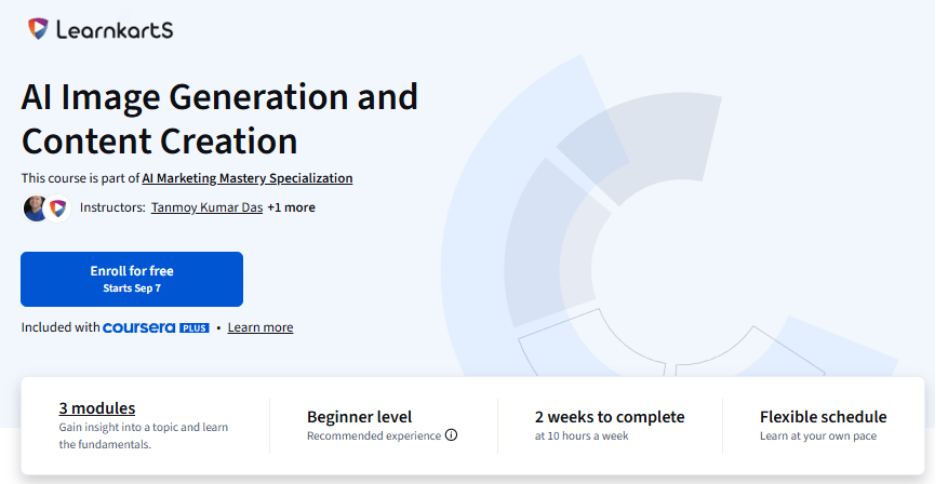
One course I would recommend for this is the Generatve AI: Image and Content Creation course on Coursera. What I like about its approach is that it takes you through the creative process step by step, from developing effective prompts and generating images to editing results, refining visuals, and working with different generative AI tools. Rather than treating each skill separately, the course helps you understand how they come together when creating a finished visual.
This makes the learning more useful for practical creative work. You can apply the same process to marketing creatives, social media visuals, product images, branding assets, and other digital content while also learning how to choose the right tools and techniques for different creative needs.
Also Check: What Are the Benefits of AI Image Generation?
Final Thoughts on Image Generation with AI
Getting started with AI image creation is easier than it may seem. Pick a beginner-friendly tool, learn how prompts work, try different styles, and keep refining your results through practice.
Don’t wait until you know everything before you begin. Start with one idea, generate an image, see what works, make a few changes, and try again. With regular practice, you can turn simple ideas into useful, engaging, and professional-looking visuals with much less effort.

